
Finance teams are in an odd spot with AI. They’re the ones asked to prove whether AI is paying off for the whole organization, yet many haven’t worked out how it helps their own team. If that sounds familiar, this one’s for you: a practical, job-by-job look at AI for finance teams in organizations of any size.
This article is part of my team-by-team guide to AI adoption.
Finance and AI right now
How are finance teams using AI today?
Mostly for speed, in fact. AvidXchange’s 2026 survey found 42% of finance leaders say AI has helped their teams finish work faster or handle more volume. However, Gartner found 45% of finance AI investments lean towards productivity, while only 20% lean towards better decisions. In addition, Workday found just 23% of finance respondents say AI is deeply embedded in their core systems.
So most finance teams are at the “use it” stage: individuals using AI to speed up pieces of their work. The next opportunity, therefore, is moving to “build it in” and “prove it.”
What can AI for finance teams do for each job?
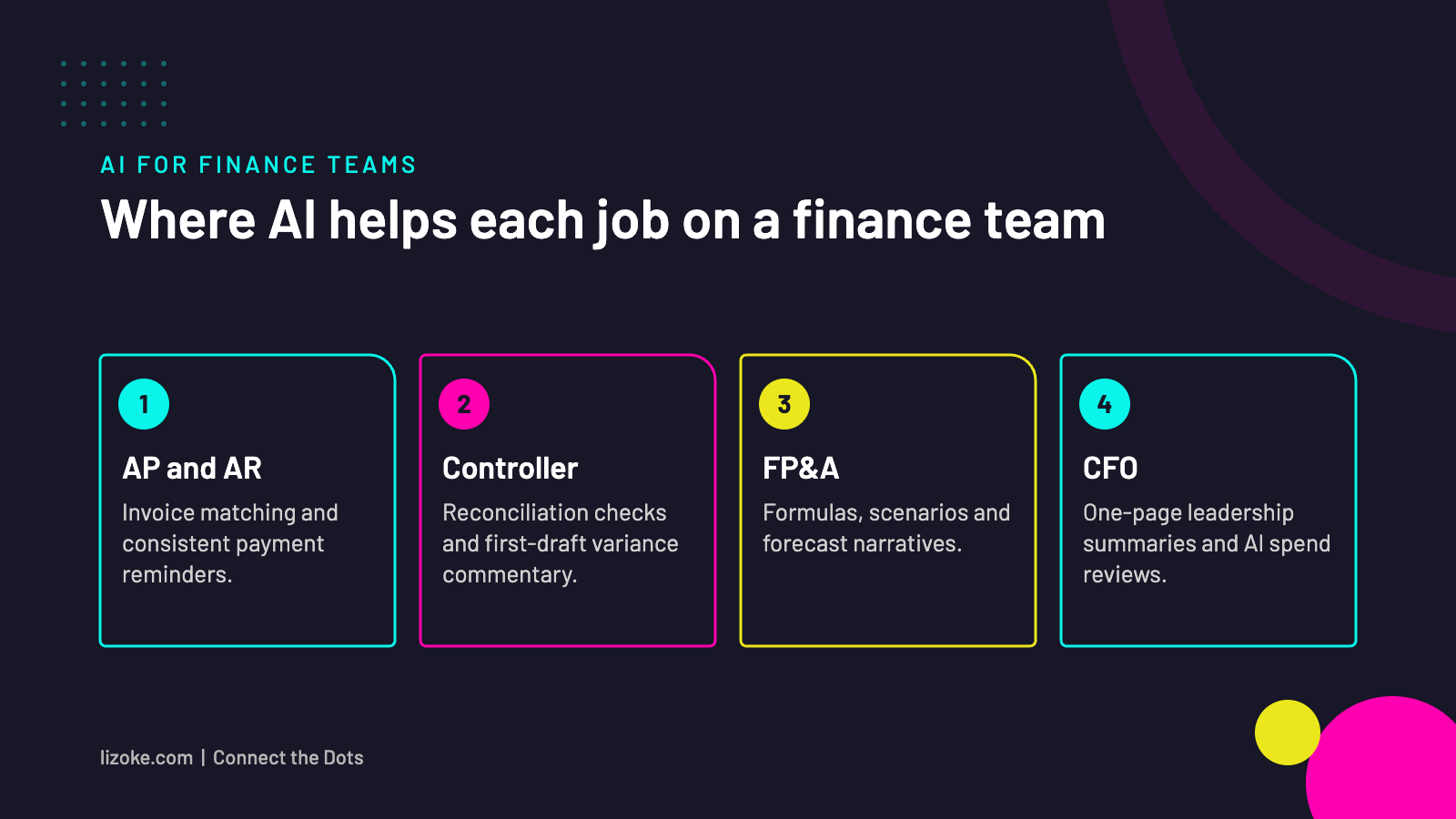
For that reason, here’s where I’d start, role by role. Importantly, none of this needs an AI department. In fact, most of it works with tools you may already have, like Microsoft Copilot or ChatGPT Business.
| Role | Where AI helps | Start with |
|---|---|---|
| Accounts payable / receivable | Reading invoices, matching, drafting payment reminders | Draft polite, consistent collection emails from an aging report |
| Controller / accountant | Reconciliations, variance explanations, close checklists | First-draft variance commentary for month-end |
| FP&A analyst | Scenario models, spreadsheet formulas, forecast narratives | Ask AI to explain or fix a complex formula, then build a scenario |
| Payroll and expenses | Policy questions, expense checks | A plain-language Q&A on your expense policy for staff |
| CFO / finance lead | Board summaries, investment cases, AI spend reviews | Turn a financial package into a one-page leadership summary |
Where do AI agents fit for finance?
Finance is full of mundane, rule-based work that’s perfect for simple agents once the team is comfortable with everyday AI. For example, good first candidates include:
- Chasing missing receipts or approvals before month-end
- Flagging expense claims that don’t match policy for a human to review
- Sending first-round payment reminders based on your aging report
- Pulling together the same weekly cash report from the same sources
Above all, the rule I use: an agent prepares, a person decides. In other words, anything that moves money or changes a record should have a human checkpoint.
An agent prepares. A person decides.
From my work
One small owner-run business I work with had tried several inventory systems, and none of them stuck. So we started with the simplest version of the grunt work: when they sell something, they just tell Claude on their phone, like “we sold three shirts.”
It keeps a running spreadsheet, adds the sales tax and shows what they’ve made. In other words, the tool fits the way they already work, instead of asking busy people to learn one more system.
What should finance teams be careful about?
- Accuracy. AI can produce confident, wrong numbers, so use it to draft and explain, and then check every figure that leaves the team.
- Confidential data. Similarly, only use tools your organization has approved for financial data, and know what you’re allowed to paste in.
- Messy processes. As one CFO quoted by Workday put it, you can’t layer AI on top of broken processes. So fix the process first.
- Controls. Likewise, if AI is part of a workflow, update your internal controls to reflect it.
How should a finance team measure its own AI ROI?
To start, pick two or three measures tied to your calendar: hours per month-end close, days to close, errors caught before review, and time spent on recurring reports. Record a rough baseline now, then check after one and three closes. As a result, finance teams are well placed to model this for the rest of the organization.
A 30-day starting plan. In week 1, ask the team, “What grunt work don’t you want to do anymore?” and list the top five answers. Then, in week 2, try AI on two of them. By week 3, write down what worked as a short how-to. Finally, in week 4, measure the time difference and decide what to keep.
Keep reading
- The team-by-team guide to AI adoption (start here)
- Super users, the quiet middle and the people who won’t touch AI
- How to measure AI ROI team by team
- Not every team is ready for AI, and that’s OK
Frequently asked questions
What is the best AI for finance teams?
Usually the one your organization already licenses and has approved for financial data, such as Microsoft Copilot. Above all, start with the tool you have before buying something new.
Can AI do month-end close?
AI can speed up parts of it, like reconciliation checks, variance commentary and checklists. However, people should still review and sign off.
Is it safe to use AI with financial data?
Of course, it can be, with approved tools, clear rules on what data goes in, and human review of anything that leaves the team.
Will AI replace finance jobs?
In my experience it changes them more than it replaces them, shifting time from data wrangling to analysis and advice. That shift is therefore worth planning for openly with your team.
Let’s connect the [ finance ] dots
My AI ROI Review looks at your finance team alongside the rest of the organization: what you’re using, what it’s costing and where AI can give your team hours back.
Book a conversationSources: AvidXchange 2026 Finance Trends Survey, via CFO.com; Gartner finance leader survey, July 2026; Workday, AI in finance, 2026.